How to check your warranty information
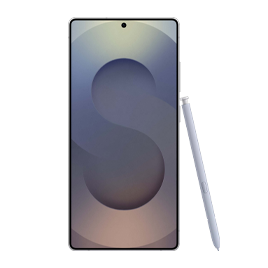
How to Check Warranty Information for Samsung Products
To check your Samsung product's warranty status, log in to your Samsung account, navigate to "My Product," and view registered devices. If the device isn't registered, you'll need to add it first to see warranty details.
1. How to Check Warranty Status Online
- Visit the official Samsung website and log in to your Samsung account.
- Go to the "My Account" section and select "My Product."
- Review the list of registered devices. Warranty status will be displayed next to each device.
- If the device is not listed, proceed to register it using its IMEI, serial number, or purchase receipt.
2. How to Register Your Samsung Device
- Log in to your Samsung account on the website or app.
- Navigate to "My Product" and select "Register New Device."
- Enter the device's IMEI, serial number, or upload a purchase receipt.
- Confirm the registration. The warranty status will now be visible.
- If you don't have the IMEI or serial number, locate it on the device box, under the battery (for older models), or in the device settings (Settings > About Phone > Status).
3. Additional Things to Check
- Ensure your Samsung account is linked to the device during registration for accurate warranty tracking.
- Warranty coverage varies by region and product type. Confirm regional policies if you purchased the device internationally.
4. Supported Samsung Galaxy Devices
Warranty checks apply to all Samsung Galaxy devices, including:
Galaxy S24, Galaxy S25, Galaxy S26, Galaxy Z Fold, Galaxy Z Flip, and Galaxy A series.
5. Why Warranty Information May Not Appear
- The device hasn't been registered yet.
- The warranty period has expired.
- The device was purchased through an unauthorized retailer, which may affect warranty eligibility.
Related Samsung Support Topics
Thank you for your feedback!
Please answer all questions.