How to Measure Blood Pressure with a Galaxy Watch
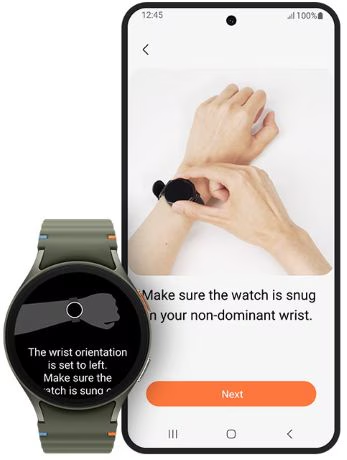
How to Measure Blood Pressure Using a Samsung Galaxy Watch
You can measure your blood pressure using the Samsung Health Monitor app on compatible Galaxy Watches. This feature uses the watch's built-in PPG sensor to track systolic, diastolic, and pulse rates. To get started, you'll need to set up your profile, calibrate your watch, and follow specific preparation steps for accurate readings.
1. What Galaxy Watches Support Blood Pressure Monitoring?
The Samsung Health Monitor app for blood pressure measurement is available on the following Galaxy Watch models:
- Galaxy Watch 3
- Galaxy Watch Active 2
- Later released Galaxy Watch and Galaxy Watch Active models
Note: Galaxy Fit models do not support this feature.
2. How to Set Up Your Profile
- Open the Samsung Health Monitor app on your Galaxy Watch.
- Follow the on-screen instructions to download the app on your paired smartphone.
- Activate the app on your phone and agree to the terms and conditions and privacy policy.
- Set up your profile with personal information.
3. How to Calibrate Your Galaxy Watch
Calibration is required to ensure accurate blood pressure readings. Follow these steps:
- Place a blood pressure cuff on your upper arm.
- Wear your Galaxy Watch on the wrist of the opposite arm, ensuring the strap is snug but not too tight.
- Open the Samsung Health Monitor app on your smartphone and follow the on-screen instructions.
- Take three measurements within 30 minutes to complete calibration.
-Recalibration is recommended every 28 days for continued accuracy.
-You can manually recalibrate at any time using the "Recalibrate" option in the app.
4. How to Prepare for Accurate Measurements
For reliable results, follow these preparation guidelines:
- Avoid alcohol, caffeine, smoking, exercise, or bathing 30 minutes before measurement.
- Ensure your arm and wrist are dry and free of sweat or lotion.
- Sit in a quiet indoor area with your back supported, legs uncrossed, and feet flat on the ground.
- Rest your hands and forearms on a table for at least 5 minutes before starting.
- Stay still and breathe normally during the measurement.
5. How to Take a Blood Pressure Measurement
- Open the Samsung Health Monitor app on your Galaxy Watch.
- Follow the on-screen instructions to start the measurement.
- Keep your arm steady and avoid talking or moving during the process.
-An error message will appear if there's movement or weak signal during the measurement.
6. What Results Will You See?
After a successful measurement, your Galaxy Watch and smartphone will display:
-Systolic blood pressure (70–180 mmHg)
-Diastolic blood pressure (40–120 mmHg)
-Pulse rate
-Note: Consult your doctor before making any changes to medication or treatment.
7. Additional Things to Check
-Ensure your Galaxy Watch is paired with your smartphone via Bluetooth.
-Update the Galaxy Wearable app to the latest version.
-Check for software updates on your Galaxy Watch.
8. Why the Issue Happens
-Inaccurate readings may occur due to improper calibration or movement during measurement.
-Weak signals can result from wet skin, loose straps, or interference from external devices.
9. Related Samsung Support Topics
Thank you for your feedback!
Please answer all questions.