Galaxy Tab S10 S Pen: Colors and Key Features
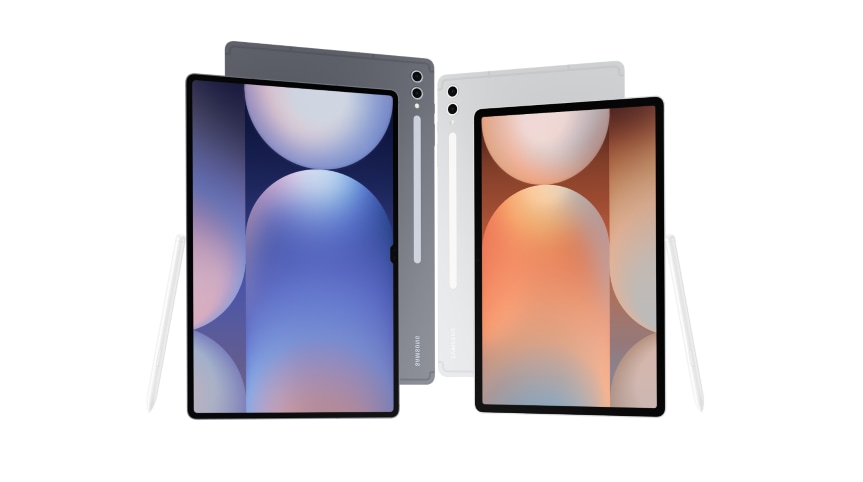
What Are the Colors and Key Features of the Samsung Galaxy Tab S10 S Pen?
The Samsung Galaxy Tab S10 S Pen comes in a sleek new color option and offers advanced features such as IP68 water and dust resistance, bi-directional charging, and handwriting-to-text conversion for seamless note-taking and document creation.
1. What Colors Is the Galaxy Tab S10 S Pen Available In?
The Galaxy Tab S10 S Pen is available in a refined color option designed to complement the tablet's premium aesthetic. While specific color availability may vary by region and model, the S Pen is typically offered in a matching hue to the tablet for a cohesive look.
2. Why Does the Galaxy Tab S10 S Pen Have an IP68 Rating?
The S Pen is water and dust resistant, offering enhanced durability and reliability in various environments. This IP68 rating ensures protection against accidental exposure to water and dust, making it suitable for everyday use.
3. How Has the Optimal Click Force Been Improved?
The click force of the S Pen has been upgraded from 160g to 170g, providing a more responsive and satisfying tactile experience for users. This improvement enhances precision and comfort during use.
4. What Is Bi-directional Charging, and How Does It Work?
The S Pen supports bi-directional charging, allowing it to charge in both directions. This feature increases versatility, enabling the S Pen to charge seamlessly whether it's inserted into the tablet or used independently.
5. How Can I Use the S Pen to Text Feature?
The S Pen to Text feature converts handwritten notes into digital text, streamlining note-taking and document creation. This functionality is ideal for students, professionals, and anyone looking to enhance productivity.
6. What Are the Dimensions and Weight of the Galaxy Tab S10 S Pen?
The S Pen measures 8.2 x 7.7 x 104.4mm and weighs 8.75g, ensuring a comfortable grip and portability. Its compact design makes it easy to carry and use on the go.
7. What Is the Battery Capacity and Charging Time of the S Pen?
The S Pen has a battery capacity of 0.35mAh. It takes 13 to 20 minutes to achieve a full charge, depending on the Tab S10 model. The standby time is 24 hours with 30 minutes of consecutive use, ensuring reliable performance throughout the day.
8. Supported Samsung Galaxy Devices
The S Pen is compatible with the Galaxy Tab S10 series, including models like the Galaxy Tab S10, Galaxy Tab S10+, and Galaxy Tab S10 Ultra. Ensure your device supports the S Pen for optimal functionality.
9. Related Samsung Support Topics
Thank you for your feedback!
Please answer all questions.