Galaxy Earbuds Not Turning On or Charging
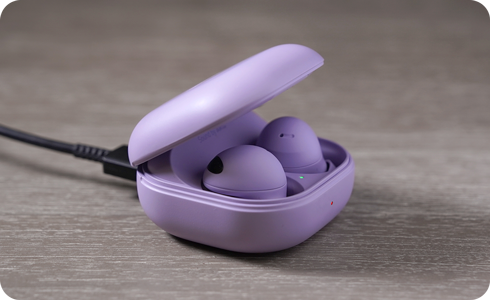
Why won't my Samsung Galaxy earbuds turn on or charge?
If your Samsung Galaxy earbuds aren't turning on or charging, the problem could stem from the earbuds, the charging case, or the charger you're using. Common causes include using non-Samsung-approved chargers, physical damage, or software glitches. Follow these steps to resolve the issue quickly.
1. Why do Samsung Galaxy earbuds fail to turn on or charge?
Several factors can prevent your Samsung Galaxy earbuds from turning on or charging:
- Using a non-Samsung-approved charger or cable can lead to charging malfunctions.
- Physical damage to the earbuds or charging case, such as cracks or loose parts, can impair functionality.
- Software glitches or interrupted charging sessions may require a restart.
- Low battery levels in the charging case may prevent the earbuds from charging properly.
2. How to fix Samsung Galaxy earbuds that won't turn on or charge
- Inspect the earbuds and charging case for damage:
- Charge the earbuds for at least 10 minutes:
- Use the included USB cable and Samsung-approved charger:
- Check the charging status:
- Restart the connected device:
- Restart the earbuds:
Check for any visible damage, such as cracks, bends, or loose parts. If you find any, the earbuds may have been impacted externally, which can affect their performance.
Before using your earbuds for the first time, ensure they are fully charged for at least 10 minutes.
Ensure you're using the original USB cable and a Samsung-approved charger. If your device supports wireless charging, you can also use a Samsung QI-compatible wireless charging pad or enable Wireless Power Sharing on a compatible Samsung phone.
A flashing red light on the charging case indicates a charging issue. Ensure the earbuds are properly seated in the case.
Restart your Samsung Galaxy device by pressing and holding the power button and volume down button simultaneously.
Insert the earbuds into the charging case, close the lid, and wait for at least 10 seconds before removing them. Note that restart steps may vary depending on the earbud model.
3. Additional things to check
If the earbuds still don't turn on or charge after troubleshooting:
- Ensure the charging case has sufficient battery life. If the case is depleted, charge it first.
- Clean the charging contacts on the earbuds and case to remove dust or debris.
- Test the earbuds with another Samsung-approved charger or wireless charging pad to rule out charger issues.
4. Supported Samsung Galaxy devices
This troubleshooting guide applies to Samsung Galaxy earbuds compatible with Galaxy S24, Galaxy S25, Galaxy S26, Galaxy Z Fold, Galaxy Z Flip, and Galaxy A series devices.
5. When to seek further assistance
If the earbuds remain unresponsive after following these steps, the issue may require professional repair. Contact Samsung Support for assistance.
Thank you for your feedback!
Please answer all questions.