Understanding HDR technology for Samsung TVs
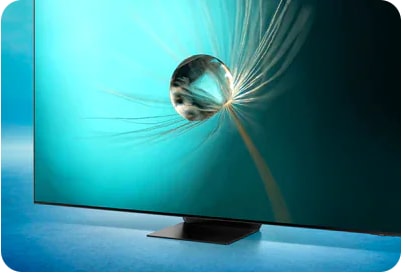
What is HDR and how does it improve picture quality on Samsung TVs?
HDR (High Dynamic Range) technology significantly improves picture quality on Samsung TVs by expanding contrast and color range, resulting in richer blacks, brighter highlights, and more vibrant colors. Modern Samsung TVs, including Galaxy S24-compatible smart displays and 8K models, automatically detect and optimize HDR content for an immersive viewing experience.
1. What is HDR and how does it work on Samsung TVs?
HDR enhances the dynamic range of your TV's display, allowing it to show more detail in both dark and bright areas of the image. This results in:
- Deeper blacks and brighter whites for improved contrast
- More accurate and vivid colors for lifelike visuals
- Enhanced clarity in high-contrast scenes, such as sunsets or nighttime scenes
2. What are the differences between HDR, HDR+, and HDR10+?
Samsung TVs support various HDR formats, each offering unique benefits:
- HDR: Improves contrast and color range over standard dynamic range (SDR) content
- HDR+: Enhances SDR content to look like HDR and boosts HDR content for better detail and contrast
- HDR10+: Adjusts color and brightness scene-by-scene for optimal picture quality on newer Samsung TVs
3. How to enable HDR+ on older Samsung TV models
For Samsung TVs released before 2016, follow these steps to activate HDR+ Mode:
- Press the Home button on your remote control
- Select Settings
- Go to Picture
- Choose Expert Settings (or Special Viewing Mode on some models)
- Enable HDR+ Mode
4. Supported Samsung TV models for HDR technology
HDR technology is supported on most modern Samsung TVs, including:
- Galaxy S24-compatible smart displays
- 4K and 8K QLED TVs
- Neo QLED and MicroLED TVs
5. Why HDR content may not display properly on your Samsung TV
If HDR content isn't displaying correctly, consider these potential causes:
- The connected device doesn't support HDR output
- The HDMI cable or port isn't compatible with HDR
- HDR settings are disabled on your TV
6. Related Samsung support topics
Thank you for your feedback!
Please answer all questions.