How to Check the Battery Level of Your Galaxy Ring
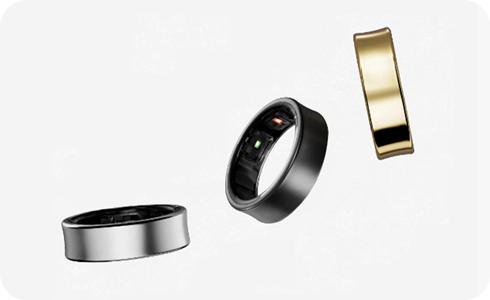
How to Check the Battery Level of Your Samsung Galaxy Ring
Checking the battery level of your Samsung Galaxy Ring is simple and can be done through multiple methods, including the sensor light on the ring, the charging case indicator, or the Galaxy Wearable app. These methods ensure you stay informed about your ring's battery status, helping you manage usage effectively.
1. How to Check the Battery Level Using the Sensor Light
The Galaxy Ring features a built-in sensor light that provides quick visual feedback on its battery level. Here's how to interpret the light:
-
- Green light blinking: The battery level is 15% or above.
-
- Red light blinking: The battery level is below 15%.
2. How to Check the Battery Level Using the Charging Case Indicator
The charging case for your Galaxy Ring includes an indicator light that displays the battery level of both the ring and the case. Follow these steps to check the battery status:
- Open the charging case or press the multipurpose button on the case while the ring is inside. The indicator light will turn on for 3 seconds, showing the ring's battery level.
- If the ring is not in the case, the indicator light will display the charging case's battery level instead.
3. How to Check the Battery Level Using the Galaxy Wearable App
The Galaxy Wearable app provides detailed insights into your ring's battery status. Here's how to access this information:
- Ensure your Galaxy Ring is connected to your smartphone via Bluetooth.
- Open the Galaxy Wearable app on your phone.
- Navigate to the Galaxy Ring section to view the battery level of both the ring and the charging case.
4. Additional Things to Check
To ensure optimal performance and battery life, consider the following tips:
- Store the ring in the charging case when not in use to conserve battery life.
- Regularly check the battery level using the methods described above to avoid unexpected power loss.
5. Supported Samsung Galaxy Devices
The Galaxy Ring is compatible with a range of Samsung Galaxy devices, including the Galaxy S24, Galaxy S25, Galaxy S26, Galaxy Z Fold, Galaxy Z Flip, and Galaxy A series. Ensure your phone is running the latest version of the Galaxy Wearable app for seamless connectivity.
6. Related Samsung Support Topics
Thank you for your feedback!
Please answer all questions.