Fix Ring Charging and Battery Drain Issues
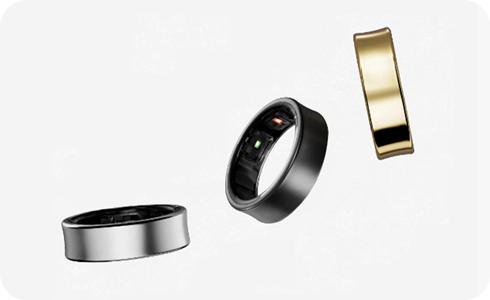
Why is my Ring not charging properly?
If your Ring isn't charging, ensure the charging contacts on both the Ring and its charging case are clean and properly aligned. Check the charger connection and avoid extreme temperatures.
Charging issues often stem from physical misalignment, dirt buildup, or environmental factors. Follow these steps to resolve the problem:
- Verify that the Ring's charging contacts are fully touching the contacts inside the charging case.
- Inspect the charger connection to the charging case and ensure it's securely plugged in.
- If the contacts appear dirty, gently wipe them with a dry cloth before attempting to charge again.
Why is my Ring's battery draining faster than expected?
Battery depletion can occur due to usage patterns, environmental conditions, or natural wear. Here's how to address it:
- Avoid exposing the Ring or its battery to extreme temperatures, as this reduces charge efficiency.
- Certain features, such as continuous motion detection or frequent notifications, increase power consumption.
- Batteries are consumable items and naturally degrade over time, reducing overall capacity.
- When not in use, store the Ring in a charged charging case to prevent unnecessary battery drain from the sensor.
Additional things to check
If the above steps don't resolve the issue, consider the following:
- Check for firmware updates for the Ring or charging case through the companion app.
- Test the charging case with another compatible device to rule out hardware defects.
- Ensure the charging case itself is receiving adequate power from the charger.
Supported Samsung Galaxy devices
This troubleshooting guide applies to all Samsung Galaxy devices that support the Ring accessory, including the Galaxy S24, Galaxy S25, Galaxy S26, Galaxy Z Fold series, Galaxy Z Flip series, and Galaxy A series.
Why the issue happens
Charging and battery issues commonly arise from:
- Misaligned or dirty charging contacts preventing proper electrical connection.
- Environmental factors like extreme heat or cold affecting battery performance.
- Increased power consumption due to active features or prolonged usage.
When updates may not appear
Firmware updates for the Ring or charging case might not appear if:
- The device is not connected to a stable Wi-Fi network.
- The companion app is outdated or requires reinstallation.
Related Samsung support topics
Thank you for your feedback!
Please answer all questions.