Why is my Galaxy Ring not working?
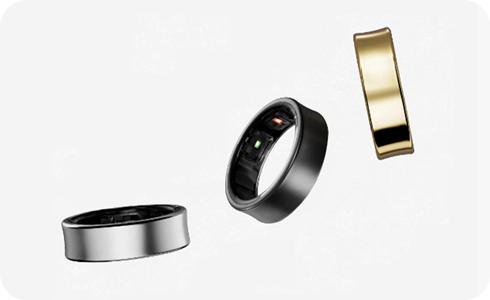
Why is my Galaxy Ring not working?
If your Galaxy Ring is not functioning properly, the issue could stem from a dead battery, improper fit, sensor misalignment, or software-related problems. Follow these steps to troubleshoot and resolve the issue effectively.
1. Check the Battery Level
Ensure your Galaxy Ring has sufficient charge:
- Place the Ring in its charging case and connect the case to power.
- Wait until the LED indicator shows a full charge (solid green light).
- Remove the Ring from the case and test its functionality.
2. Ensure Proper Fit
An improper fit can prevent the Galaxy Ring from measuring health data accurately or functioning correctly:
- Wear the Ring on a finger where it fits snugly but comfortably.
- Align the orientation indicator on the outside of the Ring with your palm to ensure the sensor makes proper contact with your skin.
3. Restart the Charging Case
If the Ring appears frozen or unresponsive, restart the charging case:
- Press and hold the Multipurpose button on the charging case for more than 7 seconds.
- Release the button once the case restarts.
- Check if the Ring responds after the restart.
4. Reset the Galaxy Ring
If the above steps don't resolve the issue, perform a factory reset:
- Open the Galaxy Wearable app on your connected phone.
- Navigate to the Galaxy Ring settings.
- Select Reset to restore the Ring to its default settings.
Note: Resetting the Ring may delete unsynced health data. Sync your data with the Samsung Health app before proceeding.
Additional Things to Check
- Ensure the Galaxy Ring is compatible with your Samsung Galaxy device (e.g., Galaxy S24, Galaxy Z Fold, Galaxy A series).
- Update the Galaxy Wearable app and Samsung Health app to the latest versions.
- Check for firmware updates for the Galaxy Ring via the Galaxy Wearable app.
Supported Samsung Galaxy Devices
The Galaxy Ring is compatible with the following Samsung Galaxy devices: Galaxy S24, Galaxy S25, Galaxy S26, Galaxy Z Fold, Galaxy Z Flip, and Galaxy A series.
Why the Issue Happens
Common causes of Galaxy Ring malfunctions include:
- Dead or low battery due to insufficient charging.
- Loose fit preventing proper sensor contact.
- Software glitches requiring a restart or reset.
When Updates May Not Appear
Updates for the Galaxy Ring may not appear if:
- The Galaxy Wearable app is outdated.
- The device is not connected to a stable Wi-Fi network.
- The Galaxy Ring is not paired with the connected phone.
Related Samsung Support Topics
Thank you for your feedback!
Please answer all questions.