How to Wirelessly Charge Your Galaxy Ring
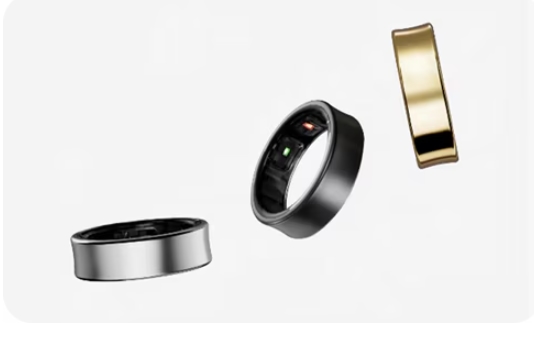
How to Charge Your Samsung Galaxy Ring Using Wireless Charging
The Samsung Galaxy Ring can be conveniently charged using wireless charging technology. This guide explains how to charge your Galaxy Ring using a wireless charger or the Wireless Power Sharing feature from compatible Samsung devices. Follow these steps to ensure efficient and safe charging.
1. How to Charge Your Galaxy Ring Using a Wireless Charger
The Galaxy Ring comes with a charging case that supports wireless charging. Follow these steps to charge your Galaxy Ring:
- Open the charging case and align the orientation indicator of the Galaxy Ring with the marker on the charging case's ring holder. Place the ring inside the case.
- Close the charging case and place the center of the charging case's bottom on the center of a wireless charger (sold separately).
- Once fully charged, disconnect the charging case from the wireless charger.
- Ensure there are no conductive materials, such as metal objects or magnets, between the charging case and the wireless charger to prevent improper charging, overheating, or damage.
- Always use Samsung-approved wireless chargers to avoid charging issues or battery damage.
2. How to Charge Your Galaxy Ring Using Wireless Power Sharing
You can also charge your Galaxy Ring using the Wireless Power Sharing feature from compatible Samsung devices. This method allows you to use the battery of another device to power your Galaxy Ring.
- Open the charging case, align the orientation indicator of the Galaxy Ring with the marker on the charging case's ring holder, and place the ring inside.
- Close the charging case and enable the Wireless Power Sharing feature on the compatible Samsung device.
- Place the center of the charging case's bottom on the device acting as the wireless charger. Adjust the alignment if necessary, as the wireless charging coil location varies by device.
- You can charge your Galaxy Ring while the device acting as the wireless charger is also being charged.
- Wireless Power Sharing may not work properly if a cover or accessory is attached to the device. Remove any covers before using this feature.
3. Supported Samsung Galaxy Devices for Wireless Power Sharing
The Wireless Power Sharing feature is supported on select Samsung Galaxy devices, including the Galaxy S24, Galaxy S25, Galaxy S26, Galaxy Z Fold, and Galaxy Z Flip series. Ensure your device is compatible before attempting to use this feature.
4. Additional Things to Check
- If the Galaxy Ring does not charge, verify that the charging case is properly aligned with the wireless charger or the compatible device.
- Check for any obstructions or debris in the charging case that may interfere with the charging process.
- Ensure the wireless charger or compatible device is functioning correctly and is fully charged.
Related Samsung Support Topics
Thank you for your feedback!
Please answer all questions.